What is Rush Hour Cafe?
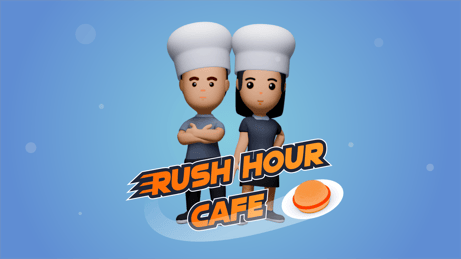
Dive into the whirlwind world of Rush Hour Cafe, a thrilling co-op cafe simulator... This game is just the perfect storm of frantic control and teamwork; it is maybe the most demanding situation ever to work together to run a cafe while growing and customizing her culinary empire. If you love quick thinking and instant cooperation, then Rush Hour Cafe will definitely be your next heartbeat!
How to Play
In Rush Hour Cafe, you and your co-op partner work as chef-types in a cafe full of crazy pressure cooking. The mission is straightforward but not always easy: cook dishes, serve customers, keep the kitchen out of fiery chaos. Going through these steps, the demands for time management and cooperation get tougher and tougher. One minute wasted-the clock doesn't stop, so act fast and stay organized-the hungry crowd will have an empty stomach to complain about!
Controls
Here's the control scheme.
Player 1
- Move: WASD
- Take/Put: E or left mouse
- Interact: R or right mouse
- Dash: Shift
- Cookbook: Tab
- Pause: Space
- Remove: X
Player 2
- Move: Arrow keys
- Take/Put: O
- Interact: P
- Dash: Shift
- Cookbook: Tab
- Pause: Space
Gamepads are supported as well.
Tips & Tricks
- Communicate Constantly: Communication between teammates is encouraged for a reason.
- Prioritize Tasks: Stay on top of disputed orders; people love you for that.
- Stay Organized: Chaos is delay, in an ordered state.
- Use Dash Ability Wisely: Dash should be reserved for times when you really need to grab that one item or serve a customer pronto.
- Explore the Cookbook: Get to know your recipes and tools to speed things up.
History
The people behind Rush Hour Cafe are ardent game lovers and simulation enthusiasts, who want to create a cooperative game that challenges the players' ability to work under pressure. The goal was for it to be easy to pick up yet difficult to master so that it would be equally suitable for casual players and hardcore gamers. Its gameplay and teamwork charisma have created a cult following ever since the release.
Play Unblocked
Though Rush Hour Cafe was made for different platforms, schools, or corporate organizations may have restrictions on particular games. If you find yourself at a point where the game is blocked, you could try playing it at home or look for a way to enjoy the game without any restrictions.
Game Developer
Async Corporation, a group of indie game developers specializing in simulation and cooperative games, developed the game. The developers' passion for crafting interesting and challenging experiences can be appreciated everywhere- from intricately designed levels to user-friendly controls.
Game Platforms
The game has been made available on multiple platforms, whatever alternative device you choose:
- PC (Windows and macOS)
- PlayStation
- Xbox
- Nintendo Switch
How to Play Unblocked
If you're trying to play Rush Hour Cafe in a restricted environment, here are some ways to try:
- Use a : A virtual private network will allow you to bypass restrictions by routing your connection through a foreign server.
- Play at Home: Just overcome it and play at your home!
- Alternative Servers: Some games provide alternative servers, which may speedily go unnoticed in being blocked.
FAQ
Q: Can I play Rush Hour Cafe alone?
A: The game is designed to co-op, and most levels can be played alone, but it's way better with a friend.
Q: How many levels are there in Rush Hour Cafe?
A: Total levels in the game side with their respective difficulty, hence giving an extended gameplay experience.
Q: Does Rush Hour Cafe support online co-op?
A: Co-op online is supported when you want to team up with friends around the world.
Q: Are there any in-game purchases?
A: Rush Hour Cafe is free to play, but optional in-game purchases exist for cosmetic items and additional content.
Enjoy your exhilarating moments in the world of Rush Hour Cafe!
Play Rush Hour Cafe on your Mobile

Span the QR Code with your mobile device camera to play Rush Hour Cafe
You can enjoy this game on mobile and tablet(such as iPhone, IPad, and Android device)
 𝟚ℙ𝕝𝕒𝕪𝕖𝕣𝔾𝕒𝕞𝕖𝕤