What Is Spark Chess?
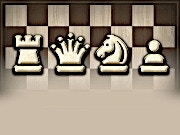
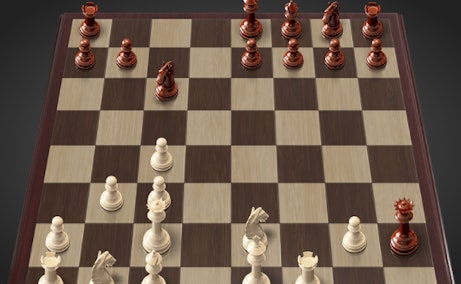
The modernized 3D chess game with an immersive multiplayer environment is an excellent playground for those who enjoy a chess challenge. Spark Chess gives you an excellent opportunity to work on your chess skills with friends or AI opponents online, whether you are an old master or someone just starting with the game. The game basically sticks to the original chess rules, only that here the 3D interface captivates the player with sheer beauty, making it as interesting as it is challenging.
How to Play
Spark Chess is a simple user-friendly game with intuitive controls so that you can concentrate on strategy instead of bothering with complicated mechanics. Here's the start guide:
- Select a piece - move it: Left-click on a chess piece to select it. Then, select the square to which you want to move it. The game will check if the move is within the standard chess rules and proceed.
Tips & Tricks
Using these tips can help you excel at Spark Chess:
- Control the Centre: Just like in any other form of chess, controlling the centre of the board allows you to move around your pieces.
- Plan Ahead: Always be thinking a few moves ahead. Try to anticipate what your opponent is going to do and make plans accordingly.
- Look for Check Conditions: Keep an eye out for chances to put the opponent in check and work towards checkmate.
- Practice Against the AI: Use the AI opponent to get familiar with the mechanics of the game and various strategies if you are new to the game.
History
While the history of chess spans centuries, Spark Chess brings the game a little up to speed with modern technology and 3D interfaces. Development of this game was aimed at making chess accessible and attractive to a new generation of players by merging both traditional and modern features.
Play Unblocked
If Spark Chess is being blocked at school or work, then below are some ways you can get around it:
- Using a : s help you snapshot the restrictions and freely access the game.
- Playing Through Another Network: By any chance, try playing it on a personal Wi-Fi connection.
- Look For Another Site: Sometimes, the game could be on an alternate site or platform that is not blocked at all.
Game Developer
Spark Chess has been developed with a view of making the chess game challenging and enjoyable for a good number of players at all levels of skill.
Game Platforms
Spark Chess is being offered on numerous platforms; this, therefore, means it presently can be enjoyed anywhere:
- PC- It is available for download on Windows or macOS.
- Web Browser- Spark Chess can also be played directly through web browsers, which means it can be accessed through any device that has an internet connection.
- Mobile- The mobile version is in the development chalkboard.
How to Play Unblocked (Mobile)
Here are some tips if you are interested in playing Spark Chess on your mobile but it is being blocked:
- Using a browser extension: Some browser extensions will help block restrictions and would grant entrance to the game.
- Download the game: If the game supports downloads in your area, try and download the game from a good source.
- Ask permission: If you are at school or at work, you can try asking to be allowed to use it at appropriate times.
FAQ
Q: Is Spark Chess free to play?
A: Yes, Spark Chess is free to play. There are some optional in-game purchases if you want.
Q: Can I play with friends who are not online?
A: Currently, Spark Chess is an online-only game. However, the developers are working toward releasing local multiplayer options.
Q: What are the system requirements for playing on PC?
A: For running on PC, the game needs a modern OS, a good video card, and at least 4GB of RAM.
Q: How do I reset my password if I forgot it?
A: You can reset your password by clicking on the "Forgot Password" link on the login screen and following the directions.
Play Spark Chess on your Mobile
Span the QR Code with your mobile device camera to play Spark Chess
You can enjoy this game on mobile and tablet(such as iPhone, IPad, and Android device)
 𝟚ℙ𝕝𝕒𝕪𝕖𝕣𝔾𝕒𝕞𝕖𝕤