What is City Skyline Racer?
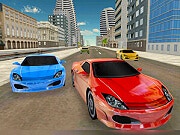
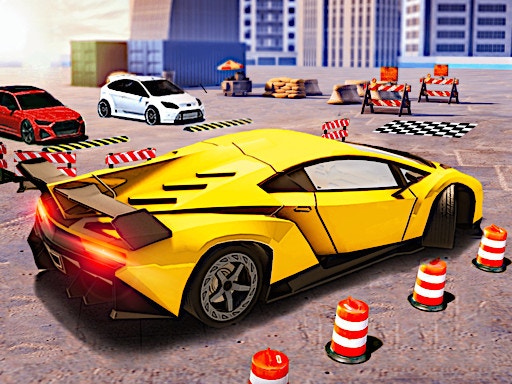
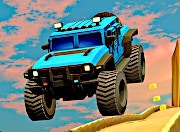
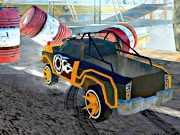
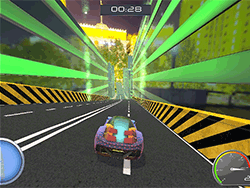
Welcome to City Skyline Racer-the ultimate future racing deck where speed is an attribute of style! Imagine racing through gigantic cityscapes in beautiful high-performance cars with more exhilarating levels awaiting you. It's not all about speed expressed in terms of action. Risk-taking involves using the best of your reflexes to pick the next ride. Skull-crushing jumps, hair-raising maneuvers, and a thrilling ride await you as you race through the heart of a bustling futuristic city in City Skyline Racer.
How to Play
The controls in City Skyline Racer are simple and intuitive enough for beginners and experts alike:
- Steer: The left and right arrows will help steer the car through highways and tight curves.
- Brake: Keep your fingers ready to smack the spacebar to slow down for those narrow jumps and sharp corners.
- Nitro: Hit the 'N' key to ignite speed. Use it when overtaking competitors or squeezing through tight gaps.
- Reset: Press 'R' if you spin out or miss a turn, and it will restart the race from the last checkpoint.
- Pause: Hit 'P' if you need a pause anytime.
The same goes for two-player mode with only some minor differences in controls:
- Steer: Left and right arrow keys for Player 1, whereas 'A' and 'D' keys for Player 2.
- Nitro: 'N' key for Player 1 and 'Shift' key for Player 2.
- Reset: 'R' key for Player 1 and 'F' key for Player 2.
- Pause: 'P' key for both players.
Tips and Tricks
- Master your Nitro: Use nitro smartly - not to speed up, but to control your stunt while in air. Timing matters!
- Brake before jump: To have a well-balanced landing, hit the brakes right before the jump ramp. This stops loss of speed and control.
- Lash out a Route: Each track has hidden shortcuts. Keep eye on these less-traveled paths for an easy victory.
- Practice: Spend some time in solo mode to master the tracks and understand car behavior before testing against opponents.
History
City Skyline Racer was born out of a group of passionate gamers and designers who wanted to see a racing game that could combine the aesthetics of the future with the traditional racing game mechanics. Inspired by neon-lined cyberpunk city streets, the game aspires to offer a breathtaking and thrilling experience. It has more of a cult following over time because of its gaming difficulty and breathtaking aesthetics.
The Unblocked Play
While City Skyline Racer is mostly accessible, there are few schools or organizations that might go the extra mile to block it. If you find yourself in such a situation, consider the following:
- Use : A virtual private network can bypass restrictions.
- Request to Be Unblocked: Politely ask your school or workplace to unblock the game for educational or recreational purposes.
- Offline: Play the game offline when it's an option.
Game Developer
City Skyline Racer was developed by Neon Racers Studio-an obscure outfit of a few members, passionate about racing games, and on the boundary of experimentation. Their previous work consists of a handful of critically acclaimed games that have earned praise for their gameplay and graphics.
Game Platforms
The City Skyline Racer games run on a few platforms:
- PC: Windows and macOS
- Consoles: PlayStation 4 and Xbox One
- Mobile: iOS and Android
How to Play Unblocked
If you still cannot get access to City Skyline Racer, consider the following tips for unblocked playing:
- Check for Other Servers: Sometimes, the game might be hosted by different servers. Try to change servers if you can.
- Play on a Different Network: If at school or work, connect on a different network, say via a mobile hotspot.
- Contact Support: Contacting the game's support team for help might be helpful. They can offer clues specific to your site.
Frequently Asked Questions
Q: How many levels are there in City Skyline Racer?
A: Eight adrenaline-pumping levels, each with unique challenges and stunning cityscapes.
Q: Can I play with my friend?
A: Yes, City Skyline Racer gives great head-to-head competition with a two-player battle mode.
Q: Are there any achievements to unlock?
A: Of course! Unlock achievements while putting your skill on the level and climbing the leaderboard.
Q: What cars can I unlock?
A: Winning on each race unlocks a new high-performance machine, with plenty of elegant and futuristic designs to choose from.
City Skyline Racer is not just any game-it is an experience combining speed, style, and challenge-and one you will love to engage with. So, buckle up and get ready to race through the city skyline!
Play City Skyline Racer on your Mobile

Span the QR Code with your mobile device camera to play City Skyline Racer
You can enjoy this game on mobile and tablet(such as iPhone, IPad, and Android device)
 𝟚ℙ𝕝𝕒𝕪𝕖𝕣𝔾𝕒𝕞𝕖𝕤