What is Real Chess?
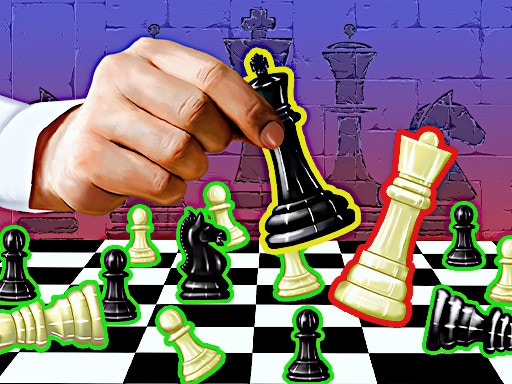
Real Chess is an immersive chess platform online featuring exhilarating tournaments and competitive matches with friends or against the computer in two modes. Whether an experienced chess master or just learning the game, Real Chess provides a dynamic and exciting atmosphere to test your skills, customize your play, and take a shot at the global leaderboard. Since you can customize the design of the chessboard and piece variants and colors, this chess game guarantees that each and every match is special to you.
How to Play
Real Chess offers a very simple and intuitive interface. The game controls are rather simple: use your MOUSE and LEFT-CLICK to move your chess pieces. In the usual way with chess, your goal is to checkmate an opponent's king. You'll either have to strategize and anticipate your opponent's moves or four or five steps ahead to secure a win. There are two basic modes:
- Local Mode: Play in real-time with friends to test your skills versus human opponents.
- Versus CPU Mode: Play versus AI with various levels of challenge in order to sharpen your skills.
Tips & Tricks
- Control the Center: Use the early phases of a game to attempt to control the central squares. Since it gives movement to you, it restricts the available options to your opponent.
- Develop Your Pieces: Move your knights and bishops early to develop your board and restrict the opponent's operations.
- King Safety: Keep your King safe by castling early in the game. This also unblocks your rooks so that they might be more effectively involved in attacks.
- Watch for Tactics: Look out for opportunities to fork, skewer, or checkmate the enemy by your actions.
- Know Your Endgames: Learn the widespread endgame cases that will allow you to convert any winning position to a checkmate.
History
As the concept of chess has been around for many centuries, Real Chess puts a very ancient sport into a very modern digital age. It has since evolved to satisfy all those with a casual interest, as well as those who are seriously concerned with chess and the techniques within it. The online aspect of the game allows for competition on a worldwide basis throughout the world, thus making it at the crossroads where chess players go and show their skills.
Play Unblocked
If you want to play Real Chess but it is blocked at school or work, there are multiple ways to go around the blockades. Using a good or proxy will allow you to access the game by routing your network through servers of another location. There are some browser extensions available as well that can be of assistance in lifting the restrictions on certain sites to enable you to enjoy Real Chess uninterrupted.
Game Developer
Real Chess is developed by a team of passionate gamers and chess aficionados who want to offer a highly competitive and engrossing chess experience. Their passion is quite apparent given the meticulous attention given to the fine detail, the numerous options for customization, and, finally, an online infrastructure that not only supports tournaments but also global leaderboards.
Game Platforms
Various platforms allow Real Chess to be hosted to keep it accessible to all players:
- Web Browser: Play directly through supported web browsers on desktop and laptop computers.
- Mobile Devices: Available on iOS and Android devices, allowing you to play chess on the go.
- Desktop Applications: For a more dedicated experience, desktop versions are also available, offering enhanced features and performance.
How to Play Unblocked
To play Real Chess when it's blocked, follow these steps:
- Use a : Sign up for a reputable service and connect to a server in a location where Real Chess is not restricted.
- Browser Extensions: Install a browser extension that can bypass geo-restrictions and access the game.
- Alternative Devices: If possible, use a different device or network that isn't subject to the same restrictions.
- Contact IT: If you're at school or work, consider reaching out to the IT department to inquire about the restrictions and whether they can be lifted.
FAQ
Q: How do I customize my chessboard and pieces?
A: Before starting a game, you can select your preferred chessboard design, piece variants, and colors from the customization menu.
Q: Can I play with friends who are not online?
A: Real Chess is designed for online play, so you'll need an internet connection to play with friends.
Q: What happens if I get disconnected during a game?
A: The game has a save feature that automatically saves your progress. If you disconnect, you can reconnect and resume from where you left off.
Q: How is the leaderboard updated?
A: Your scores are updated in real-time based on your performance in each game. The leaderboard is sorted globally, showing the top players worldwide.
Q: Are there different difficulty levels for the CPU?
A: Yes, the CPU mode offers various difficulty levels, from beginner to expert, allowing you to challenge yourself accordingly.
Play Real Chess on your Mobile

Span the QR Code with your mobile device camera to play Real Chess
You can enjoy this game on mobile and tablet(such as iPhone, IPad, and Android device)
 𝟚ℙ𝕝𝕒𝕪𝕖𝕣𝔾𝕒𝕞𝕖𝕤